Add users
This guide provides step-by-step instructions for adding a new user to a SnowObs account. It covers the required permissions, access levels, and the process for inviting and verifying new users within the SnowObs platform. Following these steps ensures that new team members can securely access the system and collaborate effectively while maintaining data integrity and compliance with SnowObs user management policies.
-
Access the New User Form:
Navigate to Settings > Users
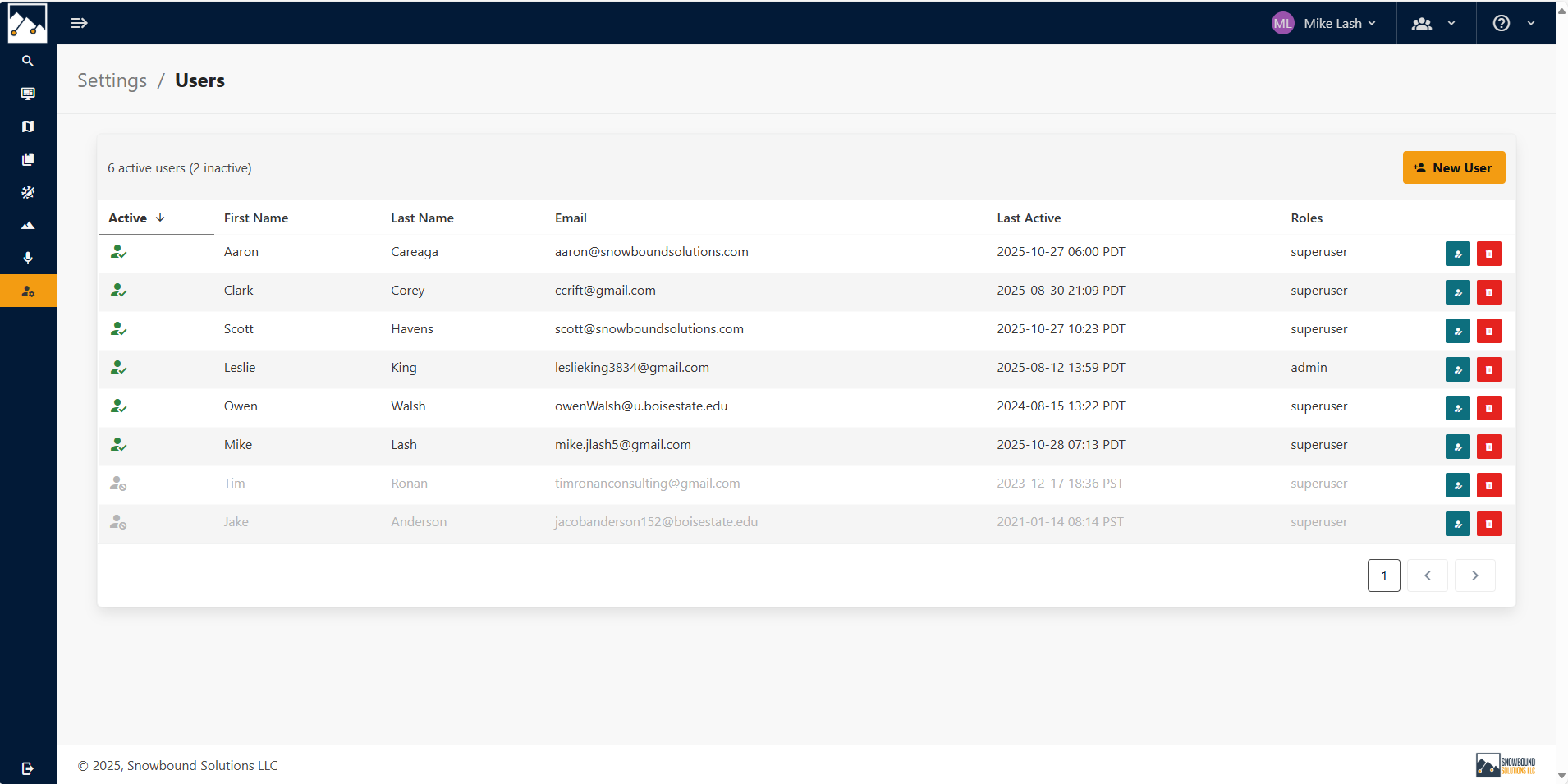
-
Click on the New User button and complete the Required Fields.
Enter the following information for the new user:
- User Name: Assign a unique username.
- First Name / Last Name: Enter the user’s first and last name.
- E-mail: Provide the user’s primary work email address. This will be used for account login.
- Phone Number: Enter a valid phone number for contact or authentication purposes.
- Role: Select the appropriate User role from the dropdown menu (e.g., User or Admin). The selected role determines the user’s permissions within SnowObs.
Note
Admin role has the ability to manage SnowObs settings.
- Active: Check this box to activate the account immediately upon creation. Leave it unchecked if the account should remain inactive until later.
-
Create the New User
Once all information has been entered, click Save or Submit to create the account.
Initial Login Setup: The new user will receive an email with login instructions. Upon their first sign-in attempt, they must select Forgot Password button to create a new password and activate their credentials.
Verify Access: After the user has set their password, confirm that they can log in successfully and that their assigned role grants the correct level of access.
Edit User
Profile:
You can edit a user profile by clicking on the right side of the user's row. You can change and update any information including changing the password.
Notifications:
Select the notification method a user will be notified (e.g., SMS, email, Push).
Delete User
Delete a user by clicking on the right side of the user's row.